
How to Turn a 2D Floor Plan into a Realistic AI Bedroom Image
A 2D floor plan is useful for understanding walls, doors, windows, and room layout, but it can be difficult to imagine how the bedroom will actually look when it is furnished and decorated. With MyRoomsAI, you can use a FloorPlan to Room Image AI tool to transform a flat plan into a realistic bedroom visualization. This helps homeowners, renters, designers, real estate users, and builders preview bedroom designs before making real decisions.
Why Convert a 2D Floor Plan to a Bedroom Image?
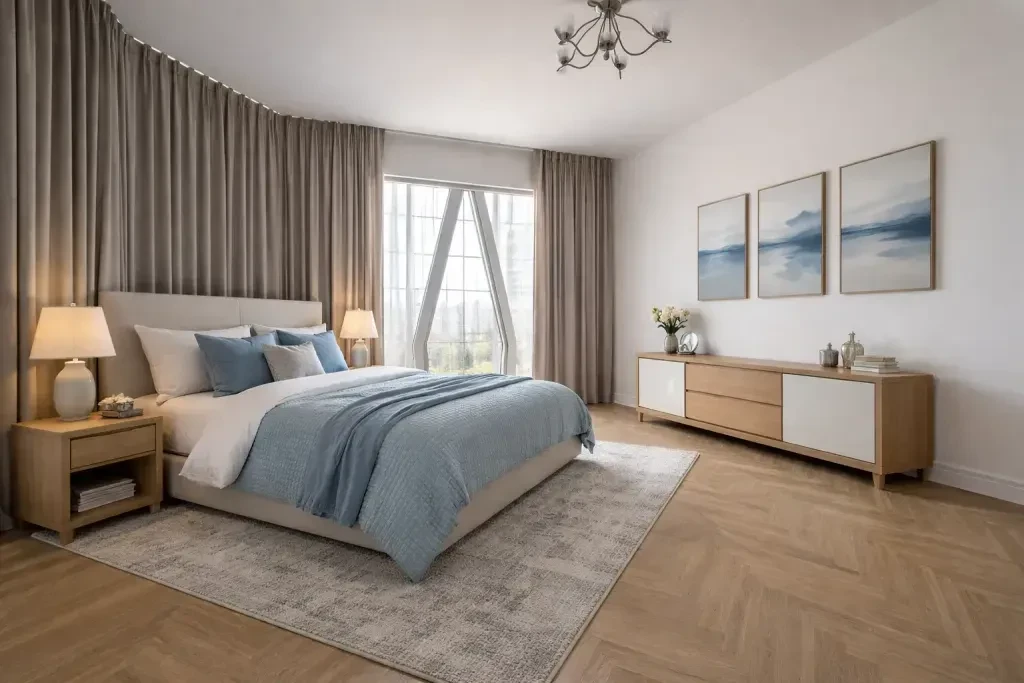
When you only have a floor plan, the space can feel technical and hard to understand. A realistic AI generated bedroom image makes the room easier to visualize. It can show furniture placement, bed position, lighting mood, wall colors, flooring, curtains, rugs, and room decoration details. This is especially useful for staging visualization, renovation planning, property marketing, and testing different room design styles.
Instead of guessing how a bedroom may look, you can use a 2d floorplan to image workflow to create a realistic preview. This gives you a better starting point for choosing furniture, comparing bedroom designs, and planning the final room decoration.
How MyRoomsAI Helps with Floor Plan Bedroom Visualization
The MyRoomsAI FloorPlan to Room Image tool is designed to help users move from a simple plan to a clear visual idea. You can upload a 2D floor plan, select the bedroom or target room, and generate a realistic room image based on that space. This makes the tool useful as a my AI room designer assistant, especially when you want to understand how a bedroom can feel in real life.
MyRoomsAI can also support related workflows such as floorplan to 3D visualization and 2D floorplan room design. A floorplan to 3D view helps users understand the overall layout and room connection, while the FloorPlan to Room Image tool focuses on creating a realistic interior image for one selected room. Together, these tools make it easier to move from technical drawings to visual design decisions.
From Bedroom AI Inspiration to Realistic Staging
Bedroom AI tools are helpful when you want fast design inspiration without starting from zero. With an AI Room Decorator, you can explore new room designs, furniture ideas, color palettes, and realistic styling options. For example, a simple bedroom layout can become a warm modern bedroom, a minimal hotel-style room, a cozy natural bedroom, or a luxury master bedroom concept.
This type of AI generated bedroom visualization is also useful for virtual staging. If you are preparing a property listing, presenting a renovation idea, or showing a future room concept to a client, a realistic bedroom image can communicate the design faster than a flat plan alone. Browse the AI Bedroom Design Gallery for examples of what is possible.
Who Can Use This Tool?
The FloorPlan to Room Image workflow can be useful for many users. Homeowners can test bedroom designs before buying furniture. Renters can explore room decoration ideas before changing their space. Designers can create quick concept visuals. Real estate users can improve listing presentations. Builders and architects can turn 2D plans into easier visual references for clients.
Whether you search for bed room ai, myroomdesigner ai, myroomdesignerai, 2d floorplan to image, floorplan to 3d, or 2d floorplan room design, the main goal is the same: make design decisions easier by turning plans and ideas into realistic images.
Start Creating Your Bedroom Design with MyRoomsAI
MyRoomsAI helps you explore bedroom designs, room designs, room decoration, and different room design styles using AI. You can start from a floor plan, generate a realistic bedroom image, and use the result as inspiration for staging, renovation, or interior design planning.
If you want a faster way to imagine your future bedroom, try the FloorPlan to Room Image AI tool and create your own realistic bedroom visualization from a 2D floor plan.
Create Your Own AI Bedroom Visualization
Upload a 2D floor plan and turn your selected bedroom into a realistic room image with MyRoomsAI.