
Affordable AI Interior Designer: Redesign Your Room Without Expensive Design Fees
Interior design can completely change the feeling of a home, but hiring a professional designer is not always affordable for everyone. Many people want to improve their bedroom, living room, kitchen, or apartment, but they do not want to spend a large amount of money before they even know what the final result could look like.
This is where an affordable AI interior designer can help. Instead of starting with expensive consultations, mood boards, and long design revisions, AI room design tools allow you to upload a photo of your real room and instantly explore different design ideas online.
With MyRooms AI, you can redesign your room from a photo, try different styles, compare before and after results, and get visual ideas before buying furniture, changing wall colors, or starting a renovation. Open the AI room decoration tool when you are ready to try it on your space.
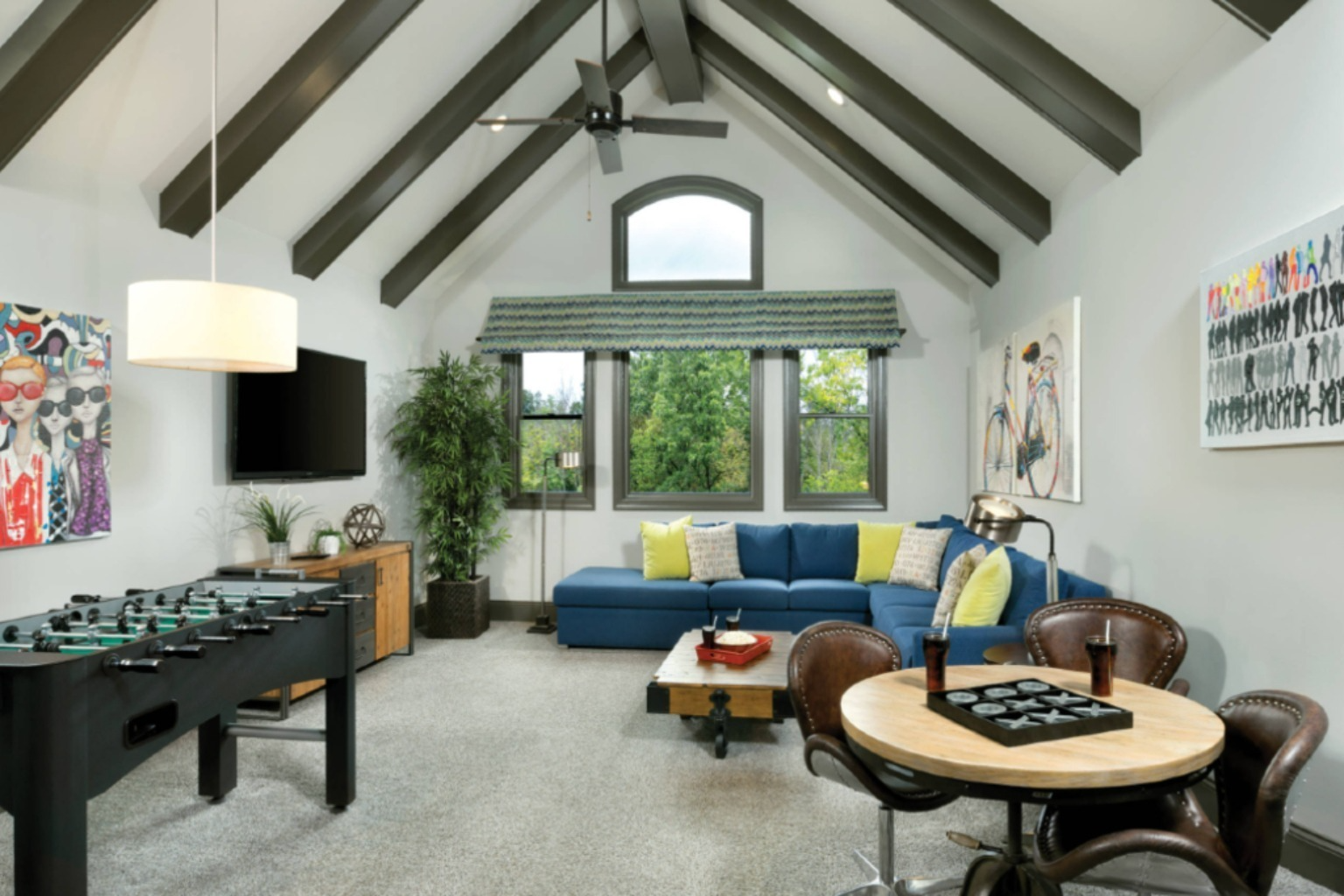
Why Traditional Interior Design Can Be Expensive
A professional interior designer can be very useful, especially for large renovation projects. However, traditional interior design often includes consultation fees, design planning, revisions, furniture sourcing, styling advice, and project coordination.
For many people, this is more than they need at the early idea stage. You may only want to know:
- What would my room look like in a modern style?
- Would a different wall color look better?
- Can this bedroom become more luxurious?
- How would my living room look with new furniture?
- What style works best for my small apartment?
Paying for full interior design services before answering these questions can feel risky. An AI interior design tool gives you a more affordable way to explore ideas first—similar to browsing real before and after transformations for inspiration, but on your own photo.
What Is an AI Interior Designer?
An AI interior designer is an online tool that uses artificial intelligence to redesign a room from an uploaded image. Instead of describing your space from zero, you can upload a real photo of your room and let the AI generate a new version based on your selected room type, design style, colors, and preferences.
For example, you can upload a photo of your current bedroom and ask the AI to redesign it as a modern, luxury, Scandinavian, boho, minimalist, or Japandi bedroom. The result helps you visualize how your real space could look after decoration changes. For room-specific workflows, see our guides for living room, bedroom, and kitchen AI design.
AI room design is especially useful because it shows ideas visually. You do not have to imagine everything from text or mood boards. You can see a realistic before and after transformation.
Why AI Room Design Is a Budget-Friendly Option
An affordable AI room designer is not just cheaper; it can also save time and reduce mistakes. Before buying furniture, painting walls, changing curtains, replacing lighting, or moving decorations, you can test different design directions first. This can help you avoid spending money on items that may not look good in your actual room. If you are comparing tools, check pricing to see what fits your budget.
AI interior design can help you:
- Try multiple styles before choosing one
- Preview different room makeover ideas
- Explore wall colors and furniture layouts
- Get inspiration for small spaces
- Compare before and after room transformations
- Make better design decisions before spending money
For people designing on a budget, this is a practical first step.
What Rooms Can You Redesign With AI?
AI interior design can be used for many room types, including:
- Living rooms
- Bedrooms
- Kitchens
- Dining rooms
- Bathrooms
- Kids rooms
- Study rooms
- Dressing rooms
- Lobby or entrance areas
- Small apartments
- Rental homes
Whether you want a simple refresh or a full room makeover, AI can help you see different possibilities before making real changes. Explore dedicated ideas for living rooms, bedrooms, and kitchens, or browse real transformations on the site.
How MyRooms AI Helps You Design on a Budget
MyRooms AI is built for people who want an easy and affordable way to redesign their real rooms online.
You can upload a photo of your room, choose the room type, select a design style, pick a decoration level, add color preferences, and write notes about what you want to change. The AI then generates a realistic redesign based on your choices. Start from the AI room decoration tool whenever you want to run a new idea.
This makes it easier to plan your room before spending money on furniture, paint, lighting, or decor.
With MyRooms AI, you can use the tool for:
- AI bedroom design
- AI living room design
- AI kitchen design
- AI dining room design
- AI bathroom ideas
- AI home decoration
- Before and after room transformations
- Budget-friendly interior design inspiration
Instead of guessing what will work, you can see the idea first. For questions about accounts, limits, or how the product works, read the FAQ.
Want a fast preview on your own photo? Upload a room image in MyRooms AI and compare styles before you buy paint or furniture.
Affordable AI Interior Design vs Hiring an Interior Designer
| Option | Best For | Cost Level | Speed |
|---|---|---|---|
| AI interior designer | Quick ideas, inspiration, budget planning, room previews | Low | Fast |
| Traditional interior designer | Full renovation, professional execution, custom project management | High | Slower |
| DIY design only | People who already know exactly what they want | Low to medium | Depends |
An AI room designer is not always a full replacement for a professional interior designer. For major construction, structural changes, electrical work, or full renovation management, a professional may still be needed.
But if your goal is to explore design ideas, compare styles, test colors, or plan a room makeover on a budget, AI interior design is a smart and affordable starting point. You can still use MyRooms AI alongside advice from a human designer when the project grows.
Tips to Get Better AI Room Design Results
To get better results from an AI room design generator, start with a clear photo of your real room.
Use these tips:
- Take the photo in good lighting
- Keep the camera straight
- Show as much of the room as possible
- Avoid blurry or dark images
- Choose the correct room type
- Pick a style that matches your taste
- Add clear notes if you want specific changes
- Mention colors, furniture, or items you want included
The better your input photo and settings are, the better your AI room redesign will be.
Who Should Use an Affordable AI Interior Designer?
An affordable AI interior designer is useful for anyone who wants room design ideas without paying high design fees upfront.
It is especially helpful for:
- Homeowners planning a room makeover
- Renters who want decoration ideas
- People furnishing a new apartment
- Students designing small rooms
- Families updating bedrooms or living rooms
- Anyone comparing styles before buying furniture
- People who want interior design inspiration on a budget
If you want your room to look better but do not know where to start, AI can help you quickly explore realistic options.
Final Thoughts
Interior design does not always need to start with expensive fees. An affordable AI interior designer gives you a simple way to test ideas, explore styles, and visualize your room before making real changes.
You can use AI to redesign your bedroom, living room, kitchen, dining room, bathroom, or apartment online. It helps you save time, reduce guesswork, and make more confident design decisions.
If you are looking for a budget-friendly way to redesign your room, try MyRooms AI and see how your space could look before you spend money on furniture or renovation. Review pricing, see real transformations, and read the FAQ if you need more detail.
Ready to redesign your room on a budget? Upload your room photo, choose your style, and preview a realistic AI room redesign in minutes.